FEATURE: Picture-in-Picture
This feature lets you watch a thumbnail-size video play in the corner of your screen while you do other things.
Here's how--
Step 1:
Log in to your iwonder account using your Safari browser
Step 2:
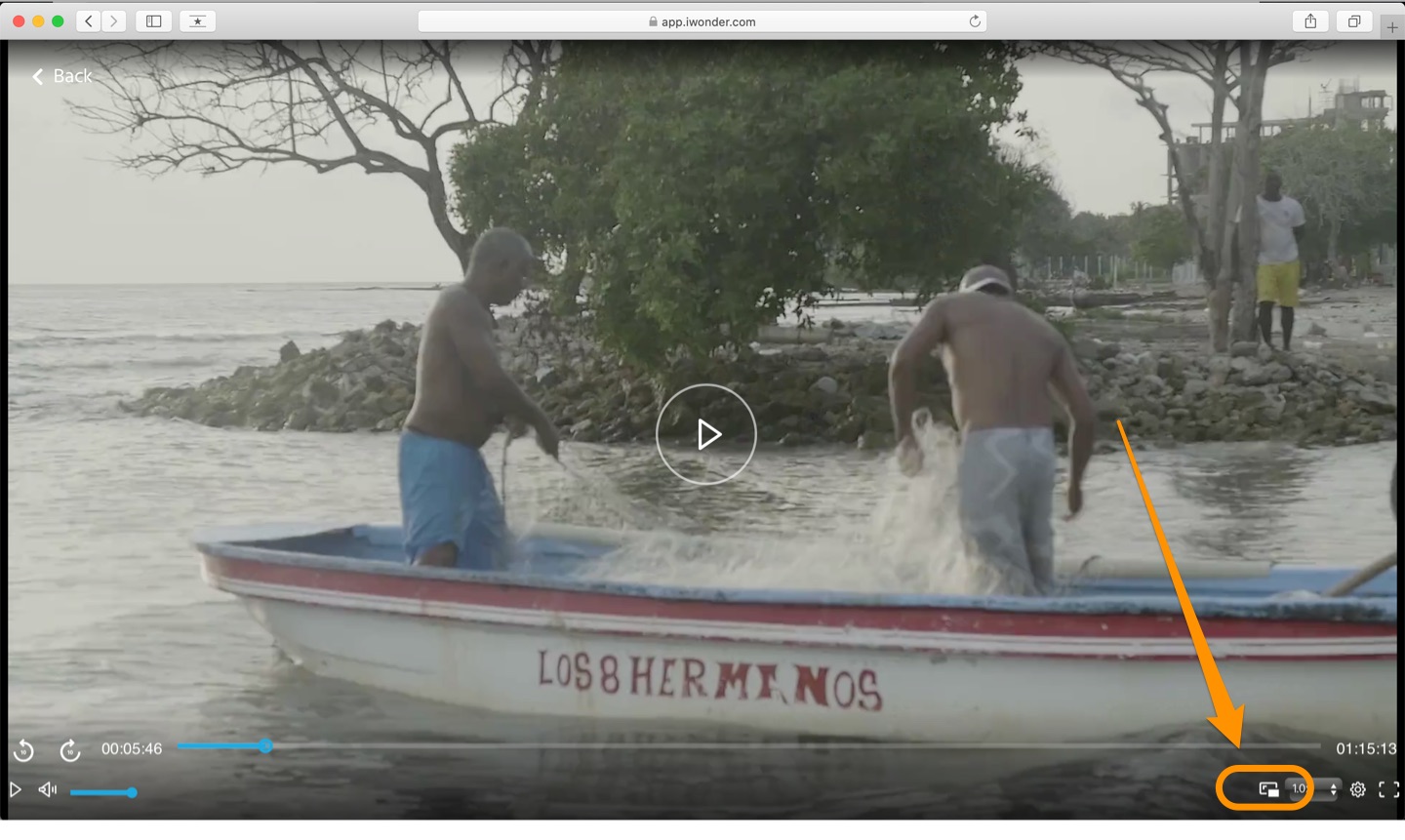
Pick a film to play. Once on the player view, click on the Picture in Picture button on the lower portion of the player
Step 3:
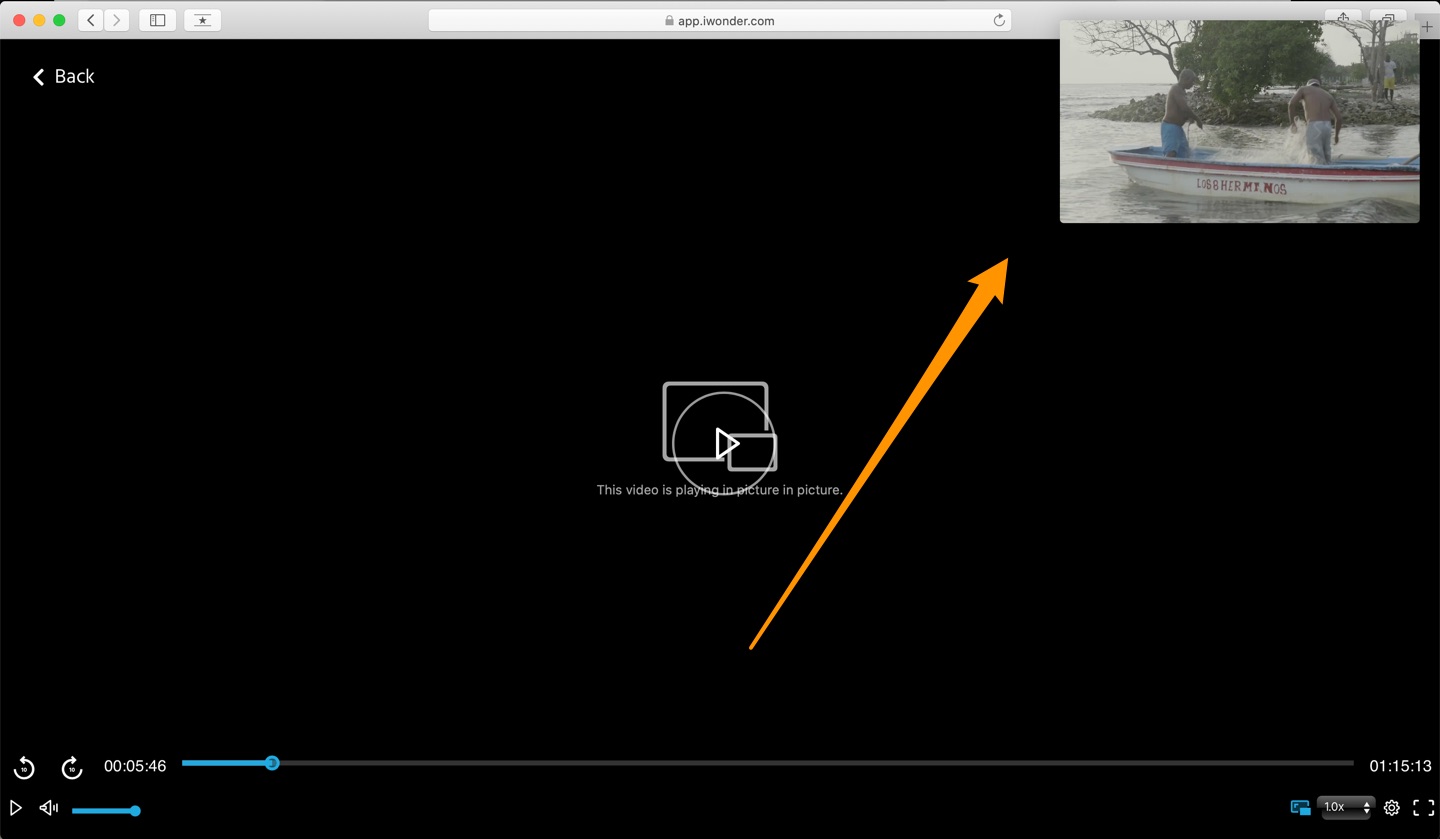
Once enabled, you’ll see the video shrink and move to one of the corners of your screen.
You can click and drag the window to another corner or you can resize it by dragging one of the edges.
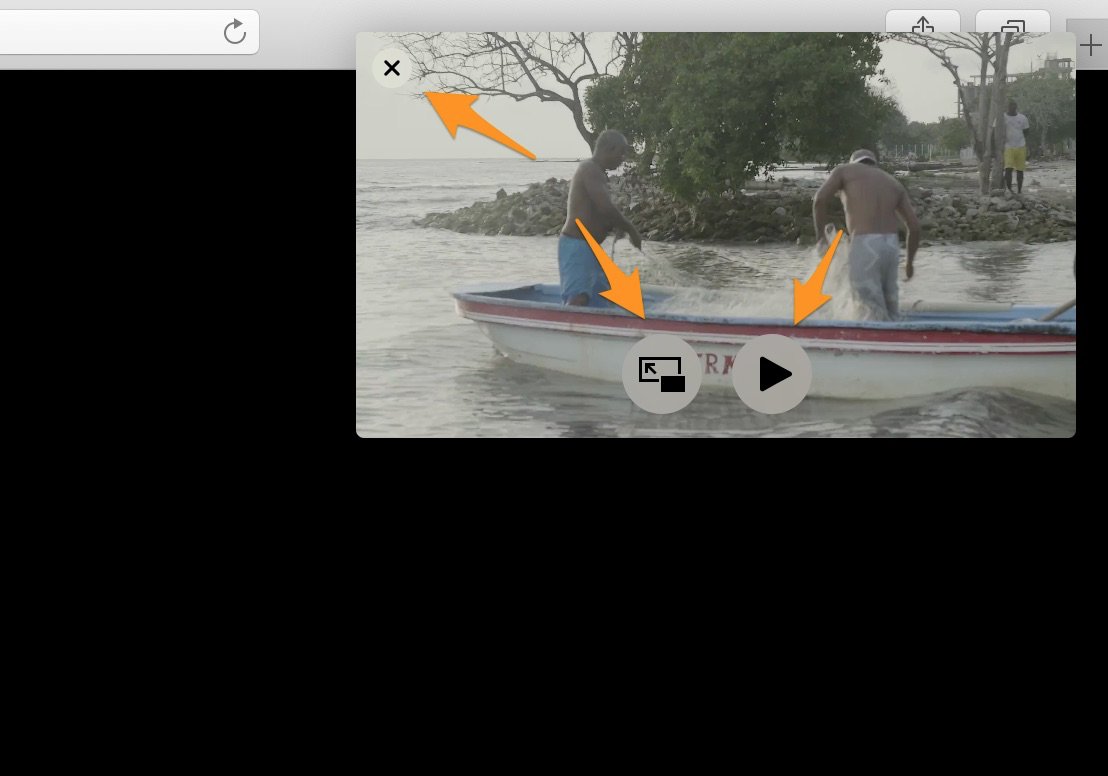
The video window also has the Play/Pause button.
To stop the video and return it to the website, click the X in the top left corner.
To continue playing the video but return it to the website, click the Picture-in-Picture button in the video window.
When using the picture-in-picture feature, the video window will remain on top of all other windows you have open and then you can continue to work or play on your Mac but keep watching the video.